help Help

Google Chrome OS | Flex

mediaCLOUD & Google's Enterprise Chrome OS management
a perfect marriage between Digital Signage and remote cloud management

[ DigitalSignage.com is a certified Google Build Partner ]

chrome os enterprise
chrome os flex

mediaCLOUD + Chrome OS + Google Enterprise Cloud Management

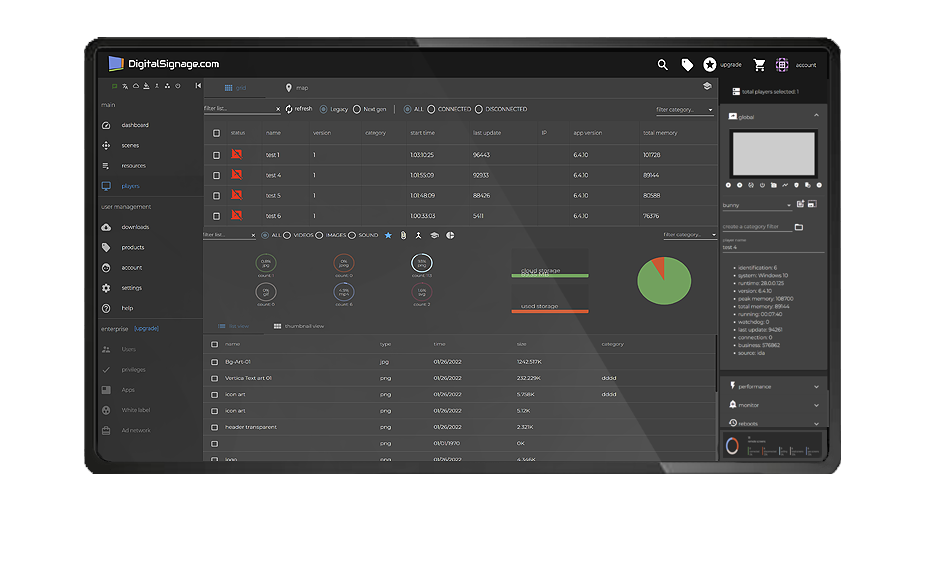
Our mediaCLOUD platform delivers everything you need to remote manage your remote screens, right out-of-the-box.
This includes the ability to push and manage your content and presentation to any number of remote players (your first 3 screens are free forever, then from $3 per screen per month), with remote screenshots, live status and even remote reboots. That is all included as part of our promise to our customers, provide the world's best and FREE Digital Signage platform!
However, when a customer reaches a certain size, remote management of dozens or even hundreds of screens can become a challenge. The Chrome OS Flex and the Google Chrome Enterprise cloud management can really make things easier in such large digital signage and kiosk deployments.

First and foremost, the Chrome Operating System (OS) itself is an ideal platform for Digital Signage and Kiosk. It allows for a secure environment where viruses and other compromised elements of the underlying OS are simply extremely rare; this is due to the nature of Chrome OS and its limited capacity for local storage and its reliability on remote cloud storage. The Chrome Flex is a super light operating system, and its unused computing and memory resources are made available to the dedicated digital signage and kiosk presentation; allowing our system to deliver the best bang for your buck for a smoother and inexpensive solution.

In summary,

  • Our mediaCLOUD platform delivers everything you need to manage any number of remote screens; the first 3 screens are free forever and paid plans start at $3 per screen per month
  • The Chrome OS Flex is a superb system that was developed with security and reliability in mind, perfect for Digital Signage & Kiosk solution, the Chrome OS is 100% FREE
  • The Google Chrome Enterprise cloud delivers additional value-added services for security, safety, reduced device management, scalability, and sustainability
  • You can start with the FREE mediaCLOUD, deploy any number of FREE Chrome OS devices, and still have the choice to opt-in at any time in the future if you decided to join Google's Chrome Enterprise cloud management suit
  • The marriage between DigitalSignage.com Free Signage, Chrome OS | Flex and Google Enterprise cloud management suit delivers unprecedented results in large installations and enterprise level deployments
Get started

your network, your rules

With the Chrome OS Flex you are just a click away from preventing data theft and attacks, securing your software and hardware remotely, wiping devices, placing devices in persistent enrollment mode, using secure enrolled management, and even executing factory reset. Google's Chrome OS deliver the ultimate in remote PC management. The Chrome OS even blocks executables, prevents apps and extensions from modifying the OS, and has tamper-proof hardware, it's what we call, bulletproof!

Chrome OS Flex | choose your hardware or build your own

The Chrome OS Flex can be downloaded and installed on any Windows compatible hardware. This means that you can use any old X86 computer (but better use newer PCs for best performance) and install a fresh copy of Chrome OS Flex; 100% FREE operating system from Google.
Additionally, manufacturers sell preloaded computers with Chrome OS Flex, so you know you are getting a battle tested player that is reliable and designed to last.

Once you install the OS, continue to our Downloads page to get SignPlayer for Chrome OS and Chrome OS Flex

Developed with Angular | A-Z solution by Google

The Chrome OS is designed and optimized to run dedicated progressive web (PWA) applications developed in HTML technologies such as CSS, HTML and JavaScript. The mediaCLOUD including SignStudio and NextGen Signage Player were developed using Google's Angular dev framework.
What this means to you is that the entire technology suit was optimized by Google to deliver a seamless integration across its architecture to ensure that all components of the digital signage and kiosk system work perfectly together. The operating system, underlying hardware, runtime and development environment are all designed to work flawlessly together, delivering the best experience to your audience.

Google Chrome Enterprise management

With the Google Chrome Enterprise management your organization will enjoy a simple, efficient, and comprehensive browser management. It is a central, powerful and flexible management system which provides capabilities both in the cloud and on premise.

It allows you to take our own Digital Signage remote management and enhance it with additional features which are essential for large Digital Signage and Kiosk deployments. You will have better visibility of your hardware and software, user delegation, screen control at the device level, remote reboot, auto OS updates and much more.

Check out the video tutorial

always up-to-date

The Chrome OS | Flex takes care of all remote management / OS updates / security updates and module updates which gives you peace of mind. You can finally be sure that all your remote digital signage and kiosk screens are safe from viruses and any other vulnerabilities which may jeopardize the stability of your signage network.
Updating your remote versions is just a click away, and you will never have to worry about running comprised vulnerabilities as Chrome OS Flex has you covered.

Frequently Asked Questions

Last updated September 7, 2026. Published by DigitalSignage.com (MediaSignage Inc., since 2006).

Does SignPlayer run on Chrome OS and Chrome OS Flex?

Yes. SignPlayer runs on Chromebooks, Chromeboxes and any PC or Mac converted with Google's free Chrome OS Flex, and pairs with the same DigitalSignage.com account as Windows, Android, Raspberry Pi and iPad players.

Can I turn old PCs or retired Chromebooks into digital signage players?

Yes. Install Chrome OS Flex on an old x86 PC or Mac, or reuse retired Chromebooks and Chromeboxes; install SignPlayer from the Downloads page and pair the device. Schools and offices often run entire networks on hardware they already own.

Is digital signage on Chrome OS free?

Chrome OS Flex is free from Google, and DigitalSignage.com is free for your first 3 screens forever with no credit card; additional screens cost $3 per screen per month. Google Chrome Enterprise management is an optional paid Google service for large fleets.

How do I install SignPlayer on a Chromebook or Chrome OS Flex device?

Sign in to your DigitalSignage.com account, open the Downloads page, install SignPlayer for Chrome OS, launch it and sign in to pair the screen; then assign a presentation in SignStudio. The Chrome OS install video on the tutorials page walks through it.

live examples, see it in action

Checkout live examples of Digital Signage presentations. The SignPlayer can run everywhere, on Android, Windows, Mac, iPad and even inside your web browser

View More

product pricing

Find out why people call us “the world’s most popular digital signage platform”

View More

customers

Can it really be free?
What’s the catch?
Want to be amazed?
Read on...

View More