Build your presentation in the SignStudio web editor, schedule it, and push it to every screen from any browser. Nothing to install on a server, no credit card to open an account, and no ads on your screens. From 4 screens, Plus+ starts at $3 per month for every screen.
Start free — 3 screens on us See pricing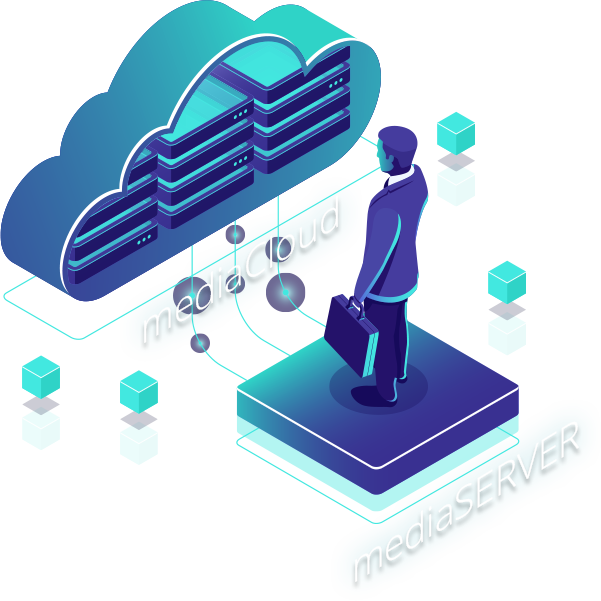
Page updated September 7, 2026 · Prices and limits are the current published ones
Drag-and-drop campaigns with 180+ templates for menus, lobbies, promos, directories and waiting rooms, or start from a blank canvas. Runs in the browser, so every teammate uses the same current version.
Weather, news, RSS and MRSS, social feeds, stocks, YouTube, HD video, countdowns, QR codes, the charting component and any XML or JSON feed refresh on their own once placed.
Daypart menus, run a campaign for a week, or split a screen into zones with their own playlists. Kiosk and touch layouts are included through mediaTOUCH.
See which players are online, restart or reload a screen, push an update, and check playback from your desk or your phone, across town or on another continent.
SignPlayer runs on Windows, Mac, Android sticks and Android TV, Chrome OS, Raspberry Pi, iPad and inside any modern browser, so a screen costs an existing TV plus a $30–$60 player.
A new account is automatically attached to the server geographically closest to you, on hosting we maintain and back up, and you can migrate the account onto a private mediaSERVER at any time.
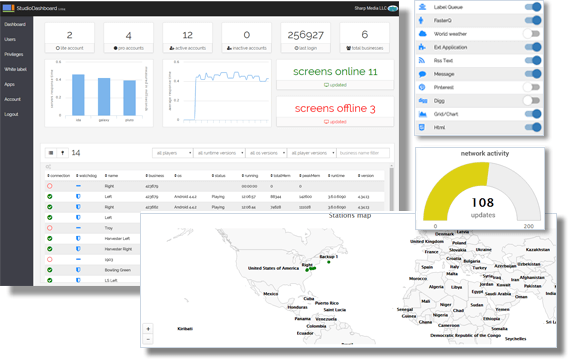
SignStudio is where the work happens: templates, scenes, playlists and schedules live in one place, and a change you save is on the screens the next time they check in. No version to install, no plug-in to update, no server to patch. On Enterprise, SignDashboard adds a live map of every player, online and offline counts, and a network-activity view across all your accounts.
Watch the platform in action: two-minute mediaCLOUD introduction video.
| Edition | Price | Screens | Storage | Includes |
|---|---|---|---|---|
| Free | $0, forever. No credit card, no time limit, no ads. | First 3 screens | 1GB | SignStudio editor, 180+ templates, scheduling, multi-zone layouts, live content components, remote management: about 90% of the feature set. |
| Plus+ | From $3.00 per screen per month with dynamic volume pricing; the rate drops as screens are added, shown live in the public calculator. | 4 or more screens (every screen billed) | 3GB | Everything in Free plus business features and the storage to match a growing library. |
| Enterprise | Quoted in the public calculator; no fixed list price. | Any number | Custom | White-label branding, SignDashboard for many sub-accounts, proof of play, the advertising engine, mediaSTORE, access-control keys, kiosk and touch, IoT and POS integration, priority support. |
| mediaSERVER | $895 one time | Licensed per player | Your disk | The same platform on a server you install and own, with no monthly fee per screen: for organizations that must keep signage off the public cloud. See mediaCLOUD vs mediaSERVER. |
Example: 20 screens on Plus+ is about $720 a year in software; on Plus+ all 20 screens are billed at $3. Compare with $8–$16 per screen per month on Yodeck, $10–$30 on OptiSigns and from $20 on ScreenCloud in our cost guide.
Sign up with an email address. No card, no sales call, no trial clock.
Android stick, Chrome OS box, Raspberry Pi, Windows or Mac PC, iPad, or just a browser. Pair it with a code shown on screen.
Pick a template in SignStudio, drop in your content and feeds, set the schedule and save. The screen updates on its next check-in.
Choose mediaCLOUD when you want zero servers to maintain, automatic updates, hosting close to your screens and a bill that starts at $0 and grows only with screens. It is the right default for shops, restaurants, schools, churches, gyms, clinics and multi-site brands.
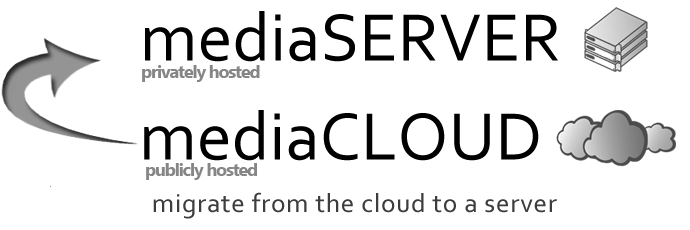
Choose mediaSERVER when policy keeps signage inside your own network, when hundreds of players make a one-time $895 purchase cheaper than per-screen fees, or when you need the platform on your own hardware. Accounts can move from the cloud to a private server at any time, so starting in the cloud is never a dead end.
Read the full comparison or see the mediaSERVER page.
Open the account, install a player, publish a template. If mediaCLOUD is not the right fit you have lost nothing but ten minutes.
Start freeLast updated September 7, 2026. Published by DigitalSignage.com (MediaSignage Inc., since 2006).
What is mediaCLOUD?
mediaCLOUD is DigitalSignage.com's cloud-hosted digital signage service: you build presentations in the SignStudio web editor, schedule them, monitor players and push updates from any browser, with nothing to install on a server.
Is mediaCLOUD really free?
Yes, for your first 3 screens, forever: no credit card, no time limit, no ads, about 90% of the feature set and 1GB of cloud storage. Networks of 4 or more screens are paid, with every screen billed: mediaCLOUD Plus+ from $3.00 per screen per month with dynamic volume pricing, and Enterprise for white-label branding, many sub-accounts and proof of play, both priced in the public calculator.
What devices work with mediaCLOUD?
SignPlayer runs on Windows, Mac, Android (sticks, boxes, Android TV, tablets), Raspberry Pi, Chrome OS and Chrome OS Flex, iPad, and inside any modern web browser.
Do I need a server or an IT department?
No. mediaCLOUD is hosted and maintained by DigitalSignage.com. Your account is attached to the server closest to you, updates roll out automatically, and the only thing on site is the player behind each screen.
Can I move from mediaCLOUD to my own server later?
Yes. An account can be migrated from mediaCLOUD onto a private mediaSERVER at any time, so you can start in the cloud and bring the platform in-house when policy or scale calls for it.
What is the difference between mediaCLOUD and mediaSERVER?
mediaCLOUD is hosted by DigitalSignage.com and free up to 3 screens, then billed for every screen; mediaSERVER is a one-time $895 on-premise server you install and own, with no monthly fee per screen, for organizations that cannot use the public cloud or run enough screens to prefer a one-time purchase.
Yodeck, OptiSigns and ScreenCloud are trademarks of their respective owners; their prices are cited from published price pages as of August 2026. Related: pricing · free digital signage software compared · what digital signage costs · mediaSERVER · SignStudio · Raspberry Pi player.
Checkout live examples of Digital Signage presentations. The SignPlayer can run everywhere, on Android, Windows, Mac, iPad and even inside your web browser
View MoreFind out why people call us “the world’s most popular digital signage platform”
View More Help
Help
 Downloads
 Tutorials
 Login
Login Contact Us
 Cart
Cart