Campus announcements, event calendars, dining menus, emergency alerts, wayfinding and dorm screens, with each department and student group managing its own content. The first 3 screens are free forever; a campus runs from $3 per screen per month, about a quarter of education-focused platforms.
First published September 6, 2026 · Last updated October 4, 2026 · K-12? See digital signage for schools and the school buying guide (hardware by location, worked costs, IT checklist).
Lectures, deadlines, club meetings, athletics and performances drawn from Google Calendar or any calendar or RSS feed, so screens stay current without a person updating slides.
Dayparted menus with prices and allergen panels across dining halls and cafés, updated once and shown everywhere, with sold-out items pulled from a phone.
Push an override to every screen on campus in seconds: severe weather, closures, safety instructions, alongside your existing alert systems.
Lobby directories and touch kiosks (mediaTOUCH) for large buildings, orientation weeks and open days, with maps and office hours.
Residence-life notices, quiet hours, laundry and shuttle info, plus student-run channels where media and communications programs produce real content for real screens.
Faculty spotlights, seminar schedules, lab safety notices and live dashboards from any XML/JSON data feed, managed by the department itself.
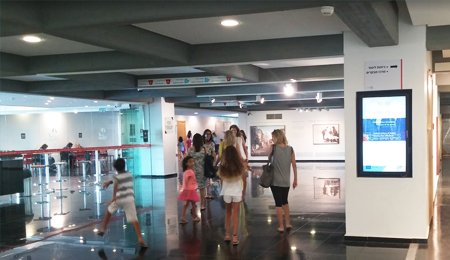
Every department gets its own keys. Sub-accounts and permissions let each college, department, residence hall and student organization manage only its own screens, while central IT or communications keeps the master layout, an emergency override and a dashboard of every player.
It runs on hardware you already own. SignPlayer runs on Chrome OS devices (retired Chromebooks and Chromeboxes included), Windows and Mac PCs, Android sticks and Android TV, Raspberry Pi boards and iPads, and inside any browser, so a screen costs an existing TV plus a $30–$60 player. Watchdog restarts players automatically.
Screens feed themselves. Calendar, RSS, news, weather, social and countdown components and any XML/JSON feed refresh automatically, and content keeps playing through network outages from the local cache.
Cloud or on-premise. mediaCLOUD needs no infrastructure; mediaSERVER is a one-time $895 purchase for universities whose data policy requires everything on their own network.
A teaching tool as well as a comms tool. Media, design and communications programs run student-managed channels on real campus screens under their own sub-account.
The price fits a university. First 3 screens free forever; from $3/screen/month after that with volume pricing in the public calculator, versus about $11 per display on Rise Vision, $8–$16 on Yodeck or $10–$30 on OptiSigns. Full comparison on the Rise Vision alternatives page.
| Deployment | Screens | DigitalSignage.com | Rise Vision (about $11 list) | Yodeck Basic ($8) | OptiSigns Standard ($10) |
|---|---|---|---|---|---|
| Department pilot: lobby + corridor + lounge | 3 | $0 (free tier) | $396 | $288 | $360 |
| Student union and dining | 15 | $540 | $1,980 | $1,440 | $1,800 |
| Mid-size campus | 100 | $3,600 | $13,200 | $9,600 | $12,000 |
| Large university, several campuses | 400 | $14,400 | $52,800 | $38,400 | $48,000 |
DigitalSignage.com column bills every screen at the $3 Plus+ starting rate once a campus passes 3 screens; dynamic volume pricing may quote lower, and Enterprise is priced in the public calculator. Competitor columns use each vendor's published rate as of August 2026 and exclude hardware. Full dataset: State of Digital Signage Pricing.
1. Create a free account (no credit card, no purchase order for the pilot).
2. Put a retired Chromebook, an Android stick or a Raspberry Pi behind the lobby TV and install SignPlayer and Watchdog.
3. Pick a campus template, connect the department's calendar feed, add this week's announcements and the dining menu.
4. Give the department a sub-account so they publish themselves. The pilot stays free forever; scale across campus at $3/screen when approved.
What digital signage should a university use?
For most universities and colleges: cloud-managed digital signage such as DigitalSignage.com on the TVs already on campus, with a $30–$60 player or retired Chromebook behind each screen, calendar and feed components so screens stay current, sub-accounts per department and student group, and a campus-wide emergency override. The first 3 screens are free forever and additional screens cost $3 per screen per month, about a quarter of education-focused platforms.
Can each department manage its own screens?
Yes. Sub-accounts and permissions limit each college, department, residence hall or student organization to its own screens and zones, while central communications keeps the master layout and emergency override.
Can the screens show event calendars automatically?
Yes. The calendar component reads Google Calendar or any calendar, RSS or XML/JSON feed and updates the screens when the source changes.
How does it compare with Rise Vision for higher education?
Rise Vision lists about $11 per display per month with an education focus; DigitalSignage.com is free for 3 screens and $3 per screen after that, runs on more player platforms, and offers a one-time on-premise server. Details on the Rise Vision alternatives page.
How much does campus digital signage cost?
Software on DigitalSignage.com: $0 for up to 3 screens, then $3 per screen per month, so a 100-screen campus is about $3,600 a year versus about $13,200 at Rise Vision's list rate or $9,600 on Yodeck. Hardware is an existing TV plus a $30–$60 player or a retired Chromebook.
Start a Free Campus Pilot — 3 Screens on Us
Rise Vision, Yodeck and OptiSigns are trademarks of their respective owners; pricing cited from published price pages as of August 2026. Related: K-12 schools · campus recreation and gyms · Chrome OS players · Raspberry Pi players · Rise Vision alternatives.
Checkout live examples of Digital Signage presentations. The SignPlayer can run everywhere, on Android, Windows, Mac, iPad and even inside your web browser
View MoreFind out why people call us “the world’s most popular digital signage platform”
View More Help
Help
 Downloads
 Tutorials
 Login
Login Contact Us
 Cart
Cart