Queue boards, public notices, hearing schedules, wayfinding, emergency alerts and multilingual content for city halls, county offices, courts, DMVs, libraries and transit hubs. The first 3 screens are free forever; an agency pays from $3 per screen per month, with an on-premise server for networks that cannot use the cloud.
First published September 6, 2026 · Last updated September 6, 2026
"Now serving" numbers with the FasterQ queue component at permits, licensing, tax and DMV counters, with instructions and estimated waits so residents are not queuing at the wrong window.
Council and board agendas, hearing calendars, comment periods, election information and office hours, scheduled to appear on the right days and taken down automatically.
Department directories and building maps on lobby screens or touch kiosks (mediaTOUCH), including courtroom assignments and clinic locations.
Push an override to every screen across every facility in seconds: severe weather, evacuation instructions, shelter openings, boil-water notices or an amber alert.
Rotate the same notice in several languages, or assign languages by location, so every resident can read the information that concerns them.
Shift information, training, policy updates and recognition on break-room screens, separate from public-facing content.
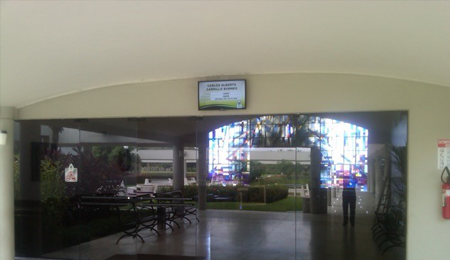
Simple procurement. The free tier needs no contract or purchase order, so a pilot can start the same day; paid plans are month to month with published pricing in a public calculator, which makes budgeting and public-records questions easy to answer.
Cloud or on-premise. mediaCLOUD needs no infrastructure; mediaSERVER is a one-time $895 purchase that runs the entire platform inside the agency's own network, with no cloud dependency, for departments whose security policy requires it.
Accessible by design. Templates support large, high-contrast type and captioned video, and layouts can be scheduled so nothing flashes; your accessibility office keeps the content standards, the tool makes them easy to follow.
Every department gets its own keys. Sub-accounts and permissions let the clerk, the courts, public works and the library each manage their own screens; IT keeps one dashboard with every player's status.
It runs on hardware you already own. SignPlayer runs on Windows PCs, Chrome OS devices, Android sticks and Android TV, Raspberry Pi and iPads, and inside any browser, so lobby TVs need a $30–$60 player or a surplus PC. Watchdog restarts the player automatically, and content keeps playing through network outages from the local cache.
The price fits a public budget. First 3 screens free forever; from $3/screen/month after that, versus $8–$16 on Yodeck, $10–$30 on OptiSigns or $20 on ScreenCloud.
| Deployment | Screens | DigitalSignage.com | Yodeck Basic ($8) | OptiSigns Standard ($10) | ScreenCloud ($20) |
|---|---|---|---|---|---|
| Town hall: lobby + clerk counter + council chamber | 3 | $0 (free tier) | $288 | $360 | $720 |
| Courthouse or DMV office | 12 | $432 | $1,152 | $1,440 | $2,880 |
| County with several facilities | 40 | $1,440 | $3,840 | $4,800 | $9,600 |
| City-wide network incl. libraries and transit | 150 | $5,400 | $14,400 | $18,000 | $36,000 |
DigitalSignage.com column is $0 up to 3 screens on the free plan; above 3 screens every screen is billed at the $3 Plus+ starting rate; dynamic volume pricing may quote lower, and Enterprise is priced in the public calculator. Competitor columns use each vendor's published entry-tier rate as of August 2026 and exclude hardware. Full dataset: State of Digital Signage Pricing.
1. Create a free account (no credit card, no purchase order for the pilot).
2. Plug an Android stick, Chromebox or surplus PC into the lobby TV and install SignPlayer and Watchdog.
3. Pick a public-facility template: queue numbers, this week's notices, office hours and a weather widget, in the languages your residents use.
4. Give the clerk's office a sub-account so they post notices themselves. The pilot stays free forever; extend to other facilities at $3/screen when approved, or move to mediaSERVER if policy requires on-premise.
What digital signage should a government office use?
For most city, county and state facilities: cloud-managed digital signage such as DigitalSignage.com on the TVs already in the building, with a $30–$60 player behind each screen, queue and notice templates, departmental sub-accounts and an emergency override. The first 3 screens are free forever with no contract, additional screens cost $3 per screen per month, and the one-time $895 mediaSERVER runs everything on-premise for agencies that cannot use the cloud.
Can it run without cloud services?
Yes. mediaSERVER installs on the agency's own infrastructure for a one-time $895, with no monthly fee per screen and no dependency on hosted services.
Can we show queue numbers at service windows?
Yes. The FasterQ queue component displays "now serving" numbers and instructions, advanced by staff from any browser or tablet.
Can content be shown in several languages?
Yes. Layouts can rotate the same notice in multiple languages or assign a language per screen or location; SignStudio supports any text your fonts can render.
How much does government digital signage cost?
Software on DigitalSignage.com: $0 for up to 3 screens, then $3 per screen per month, so a 40-screen county is about $1,440 a year versus $3,840–$9,600 on Yodeck, OptiSigns or ScreenCloud; or $895 once for the on-premise mediaSERVER. Hardware is an existing TV plus a $30–$60 player or surplus PC.
Start a Free Pilot — No Contract, 3 Screens on Us
Yodeck, OptiSigns and ScreenCloud are trademarks of their respective owners; pricing cited from published price pages as of August 2026. Related: healthcare · schools · transportation · touch kiosks · mediaSERVER on-premise.
Checkout live examples of Digital Signage presentations. The SignPlayer can run everywhere, on Android, Windows, Mac, iPad and even inside your web browser
View MoreFind out why people call us “the world’s most popular digital signage platform”
View More Help
Help
 Downloads
 Tutorials
 Login
Login Contact Us
 Cart
Cart