Session schedules from your calendar, room directories, wayfinding, sponsor loops, live social walls and instant announcements across a venue, on rented TVs with $30 players. The first 3 screens are free forever; a large conference pays from $3 per screen per month with no long-term contract.
First published September 6, 2026 · Last updated September 6, 2026
Today's agenda from Google Calendar or any calendar feed at the entrance and door-side screens for each room, updating themselves when a session moves.
Floor plans, directions to halls, registration and catering, on lobby screens or touch kiosks (mediaTOUCH) with an attract loop.
Sponsor videos and logos in scheduled rotation, with proof-of-play reporting on Enterprise so you can show sponsors exactly when their content ran.
Attendee posts by event hashtag with moderation before display, plus live polls and countdowns to the keynote.
Room changes, lunch is served, shuttle departures or an emergency instruction to every screen in seconds from a phone.
Check-in instructions, badge pickup lines with the FasterQ queue component, and welcome messages by attendee group.
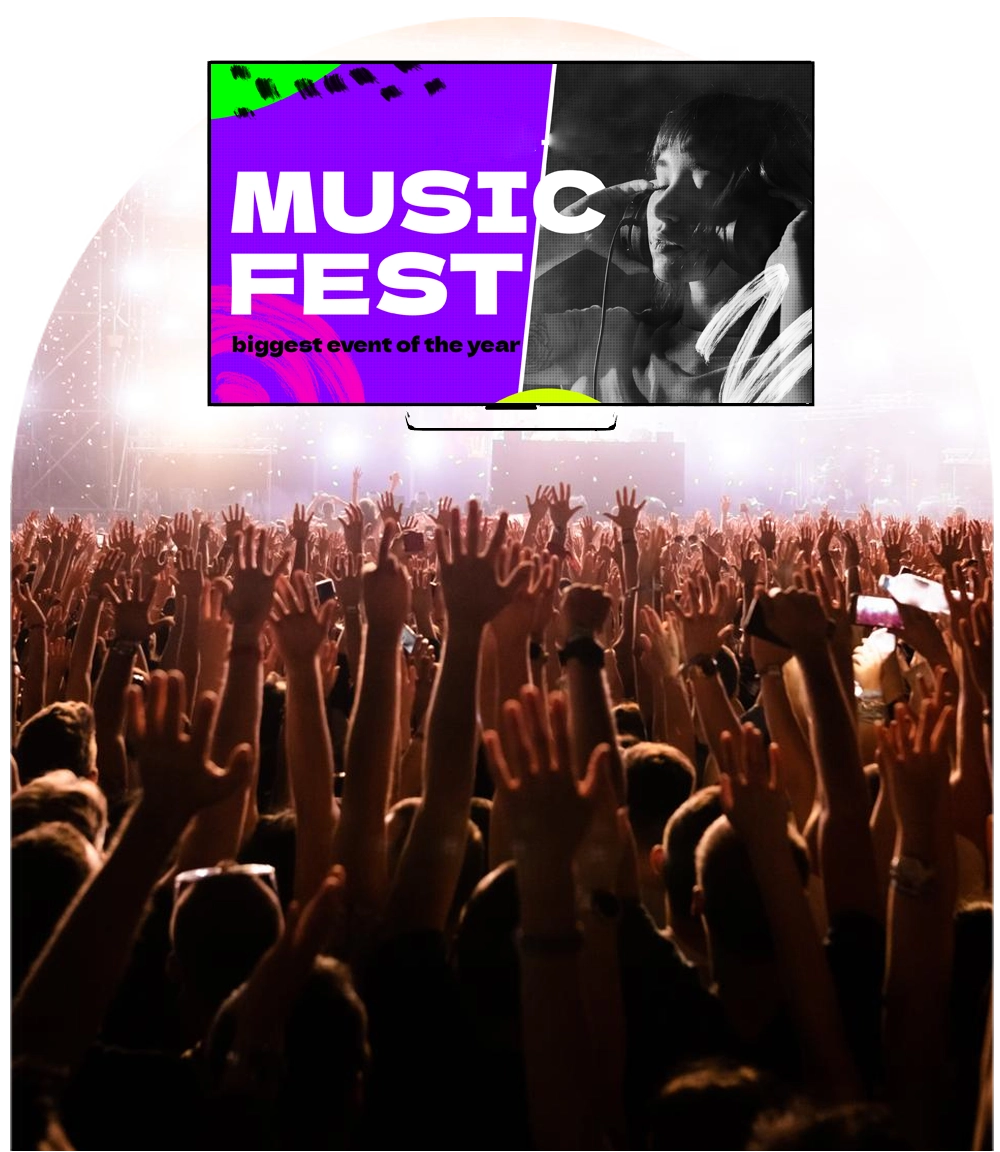
Built for temporary deployments. Rented TVs plus $30–$60 Android sticks, paired to your account in minutes, run the event and go back in the box; month-to-month pricing means you pay only for the months you use.
One team, many screens. Sub-accounts let the agenda team, sponsorship team and venue operations each control their own zones while the show caller keeps the override.
It runs on hardware you already own. SignPlayer runs on Android sticks and Android TV, Chrome OS devices, Windows and Mac PCs, Raspberry Pi and iPads, and inside any browser, so a screen costs an existing TV plus a $30–$60 player. Watchdog restarts the player automatically for unattended 24/7 operation, and content keeps playing through internet outages from the local cache.
Every location gets its own keys. Sub-accounts and permissions let each site, department or franchisee manage only its own screens while head office keeps the master layouts, an instant emergency override and a dashboard of every player's status.
Content updates itself. Weather, news, RSS and social feeds, calendars, countdowns, QR codes, the charting component and any XML/JSON data feed refresh automatically; 180+ templates cover menus, promos, directories and lobby loops.
The price fits the budget. First 3 screens free forever; from $3/screen/month after that with volume pricing in the public calculator, versus $8–$16 on Yodeck, $10–$30 on OptiSigns or $20 on ScreenCloud. Enterprise adds proof of play for sponsors, white-label branding and touch kiosks.
| Deployment | Screens | DigitalSignage.com | Yodeck Basic ($8) | OptiSigns Standard ($10) | ScreenCloud ($20) |
|---|---|---|---|---|---|
| Seminar: entrance + two room screens | 3 | $0 (free tier) | $288 | $0 (3 free, branded) | $720 |
| Conference with breakout rooms | 10 | $360 | $960 | $1,200 | $2,400 |
| Trade show or festival | 30 | $1,080 | $2,880 | $3,600 | $7,200 |
| Convention centre or event agency | 100 | $3,600 | $9,600 | $12,000 | $24,000 |
DigitalSignage.com column is $0 up to 3 screens on the free plan; above 3 screens every screen is billed at the $3 Plus+ starting rate; dynamic volume pricing may quote lower, and Enterprise is priced in the public calculator. Competitor columns use each vendor's published entry-tier rate as of August 2026, apply their free tiers where the screen count qualifies, and exclude hardware. Full dataset: State of Digital Signage Pricing.
| Location | Display | Rule of thumb |
|---|---|---|
| Registration and lobby | Rented 55–65 inch TVs on stands | Consumer TV plus a $30–$60 player |
| Room doors | Small screens or tablets | Calendar-driven, one room per screen |
| Outdoor festival | Weather-rated high-brightness displays or LED | Same software; sponsor loops with proof of play |
1. Create a free account (no credit card).
2. Pair Android sticks with the rented TVs and install SignPlayer and Watchdog.
3. Pick an event template, connect the agenda calendar feed and drop in sponsor videos.
4. Publish. Your first 3 screens stay free forever; larger events add screens at $3/screen for the month.
What digital signage should we use for a conference or event?
For most conferences, trade shows and festivals: cloud-managed digital signage such as DigitalSignage.com on rented TVs with a $30–$60 Android stick behind each one, calendar-driven schedule boards, sponsor loops and an instant override from a phone. The first 3 screens are free forever and additional screens cost $3 per screen per month with no long-term contract.
Can the agenda update on the screens if a session moves?
Yes. The calendar component reads your event calendar feed and updates every schedule board when a session is added, moved or cancelled.
Can we prove to sponsors that their content ran?
Yes, on the Enterprise plan: proof-of-play reporting records when and where each sponsor item played.
Do we need to buy hardware for a one-off event?
No. Rented TVs with inexpensive Android sticks, or tablets and laptops in a browser, run SignPlayer; nothing proprietary is required.
How much does event digital signage cost?
Software on DigitalSignage.com: $0 for up to 3 screens, then $3 per screen per month, so a 30-screen trade show is about $90 for the month versus $240–$600 on Yodeck, OptiSigns or ScreenCloud at their monthly rates. Hardware is rented TVs plus $30–$60 players.
Yodeck, OptiSigns and ScreenCloud are trademarks of their respective owners; pricing cited from published price pages as of August 2026. Display brightness figures are general industry rules of thumb. Related: hospitality and venues · entertainment · corporate communications · fitness, leisure and culture · touch kiosks.
Checkout live examples of Digital Signage presentations. The SignPlayer can run everywhere, on Android, Windows, Mac, iPad and even inside your web browser
View MoreFind out why people call us “the world’s most popular digital signage platform”
View More Help
Help
 Downloads
 Tutorials
 Login
Login Contact Us
 Cart
Cart