Class and session schedules from your calendar, event boards, exhibit information, wayfinding, membership promotions and emergency messaging for gyms, leisure centres, pools, museums and theatres. The first 3 screens are free forever; a multi-site operator pays from $3 per screen per month.
First published September 6, 2026 · Last updated September 6, 2026
Today's classes, instructors and room assignments from Google Calendar or any calendar feed, updating themselves when a class is cancelled or moved.
Performances, screenings, tours and exhibitions with times, prices and a countdown, scheduled weeks ahead.
Interpretive content, artist and object information and audio-guide QR codes on screens or touch kiosks beside the exhibit.
Join offers, renewals, family passes and gift vouchers with QR codes, dayparted for peak and off-peak audiences.
Pool and sauna hours, changing-room rules, capacity notices and directions to studios, courts and galleries.
Push a closure, weather warning or evacuation instruction to every screen in the building in seconds.
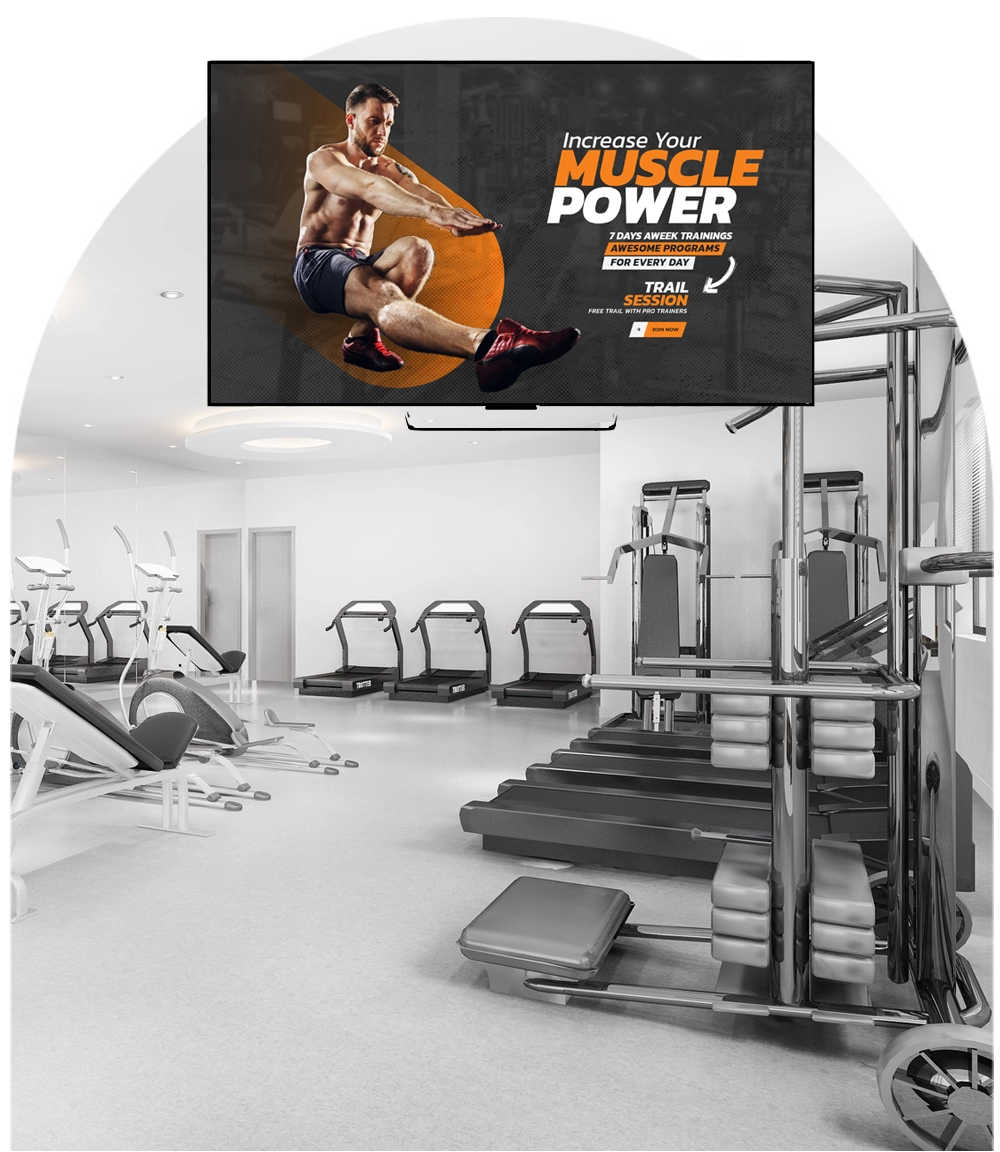
Schedules that maintain themselves. Calendar-driven boards mean the front desk never retypes the timetable; weather, news, social feeds and countdowns keep lobby screens lively without a content person.
It runs on hardware you already own. SignPlayer runs on Android sticks and Android TV, Chrome OS devices, Windows and Mac PCs, Raspberry Pi and iPads, and inside any browser, so a screen costs an existing TV plus a $30–$60 player. Watchdog restarts the player automatically for unattended 24/7 operation, and content keeps playing through internet outages from the local cache.
Every location gets its own keys. Sub-accounts and permissions let each site, department or franchisee manage only its own screens while head office keeps the master layouts, an instant emergency override and a dashboard of every player's status.
Content updates itself. Weather, news, RSS and social feeds, calendars, countdowns, QR codes, the charting component and any XML/JSON data feed refresh automatically; 180+ templates cover menus, promos, directories and lobby loops.
The price fits the budget. First 3 screens free forever; from $3/screen/month after that with volume pricing in the public calculator, versus $8–$16 on Yodeck, $10–$30 on OptiSigns or $20 on ScreenCloud. Enterprise adds touch kiosks (mediaTOUCH), proof of play for sponsors and white-label branding.
| Deployment | Screens | DigitalSignage.com | Yodeck Basic ($8) | OptiSigns Standard ($10) | ScreenCloud ($20) |
|---|---|---|---|---|---|
| Studio or small gym: lobby + studio + café | 3 | $0 (free tier) | $288 | $0 (3 free, branded) | $720 |
| Leisure centre with pool | 8 | $288 | $768 | $960 | $1,920 |
| Museum or theatre complex | 20 | $720 | $1,920 | $2,400 | $4,800 |
| Multi-site fitness operator | 60 | $2,160 | $5,760 | $7,200 | $14,400 |
DigitalSignage.com column is $0 up to 3 screens on the free plan; above 3 screens every screen is billed at the $3 Plus+ starting rate; dynamic volume pricing may quote lower, and Enterprise is priced in the public calculator. Competitor columns use each vendor's published entry-tier rate as of August 2026, apply their free tiers where the screen count qualifies, and exclude hardware. Full dataset: State of Digital Signage Pricing.
| Location | Display | Rule of thumb |
|---|---|---|
| Lobby and studios | Any consumer TV | Consumer TV plus a $30–$60 player |
| Pool and wet areas | Sealed commercial display rated for humidity | Schedules and safety notices, large type |
| Galleries and foyers | Commercial displays; touch kiosks for interpretation (mediaTOUCH, Enterprise) | Attract loop between visitors |
1. Create a free account (no credit card).
2. Plug an Android stick or Chromebox into the lobby TV and install SignPlayer and Watchdog.
3. Pick a venue template, connect your class or event calendar feed and add this month's promotion.
4. Publish. Add the studio and café screens the same way, still free; extend to other sites at $3/screen.
What digital signage should a gym or leisure centre use?
For most gyms, leisure centres, museums and theatres: cloud-managed digital signage such as DigitalSignage.com on the TVs already in the building, with a $30–$60 player behind each screen, calendar-driven schedule boards, promo templates and an emergency override. The first 3 screens are free forever and additional screens cost $3 per screen per month, about a third of mainstream competitors.
Can class schedules update automatically?
Yes. The calendar component reads Google Calendar or any calendar feed and updates the screens when a class is added, moved or cancelled.
Can museums use touch screens for exhibit information?
Yes. mediaTOUCH, on the Enterprise plan, turns any touch display or tablet into an interactive information point with an attract loop when idle.
Can a chain of gyms manage all sites from one account?
Yes. Sub-accounts give each site control over its own screens while head office keeps master layouts and a dashboard of every player; Enterprise SignDashboard manages many accounts from one console.
How much does gym or venue digital signage cost?
Software on DigitalSignage.com: $0 for up to 3 screens, then $3 per screen per month, so a 20-screen complex is about $720 a year versus $1,920-$4,800 on Yodeck, OptiSigns or ScreenCloud. Hardware is an existing TV plus a $30–$60 player, or a sealed commercial display for wet areas.
Yodeck, OptiSigns and ScreenCloud are trademarks of their respective owners; pricing cited from published price pages as of August 2026. Display brightness figures are general industry rules of thumb. Related: gyms and fitness studios · entertainment venues · events and conferences · universities · touch kiosks.
Checkout live examples of Digital Signage presentations. The SignPlayer can run everywhere, on Android, Windows, Mac, iPad and even inside your web browser
View MoreFind out why people call us “the world’s most popular digital signage platform”
View More Help
Help
 Downloads
 Tutorials
 Login
Login Contact Us
 Cart
Cart