Dayparted menu boards, tap lists, specials, allergen panels, promotions and social walls across every counter and location, updated in minutes from a phone or laptop. The first 3 screens are free forever; a chain pays from $3 per screen per month.
First published September 6, 2026 · Last updated September 6, 2026
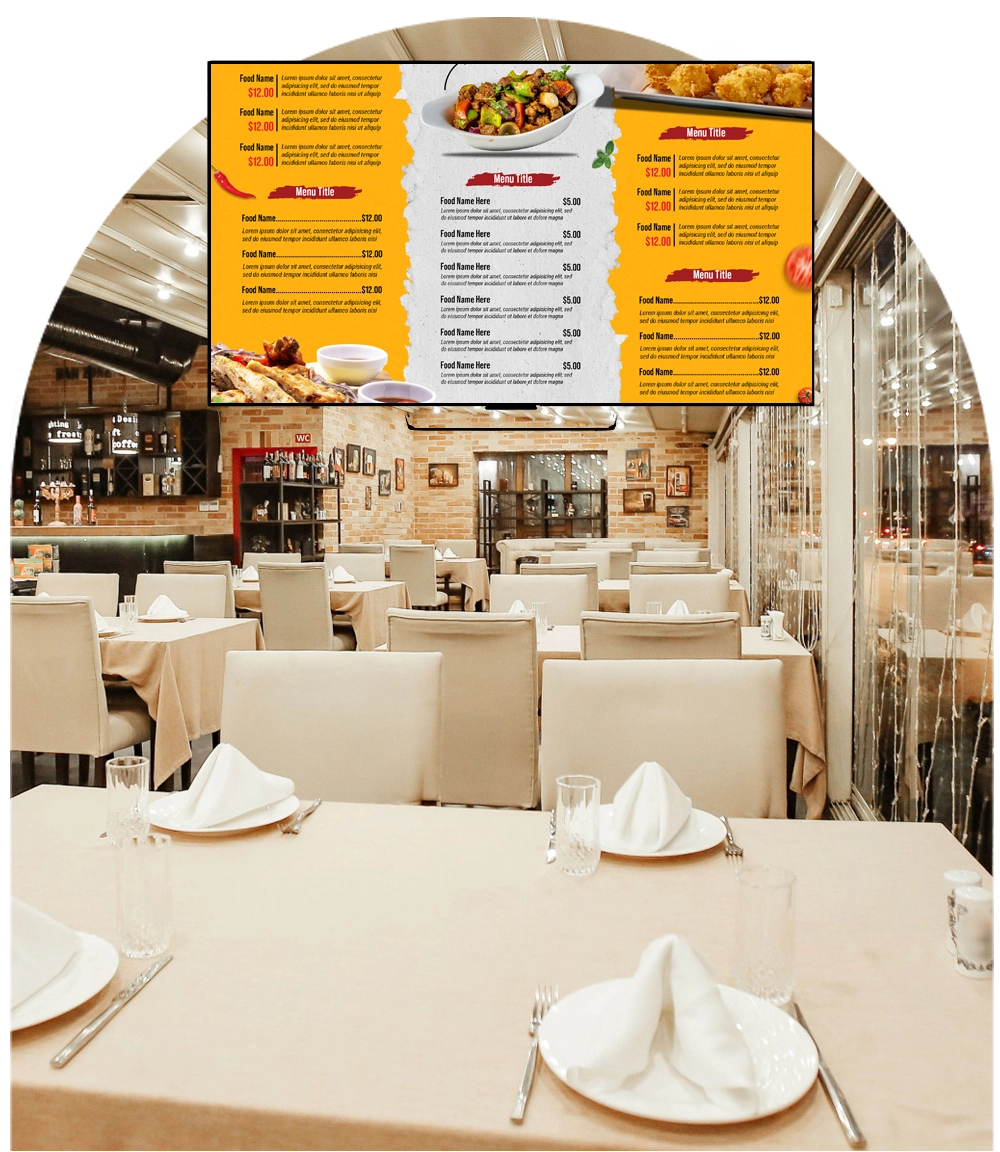
Behind-the-counter menus, bakery cases and brewery tap lists in multi-zone templates; change a price or swap a keg once and every board updates within minutes.
Breakfast pastries until 10:30, lunch until 2, happy hour after 4: the scheduler switches layouts by time of day and day of week automatically.
Push today's special or pull an item that ran out from a phone; no ladders, no printed inserts.
Rotate calorie and allergen information into the menu layout to meet posting requirements without cluttering the board.
Seasonal drinks, bundles, catering and loyalty offers with QR codes that take customers straight to the app or order page.
Curated customer photos by hashtag with approval before display, plus news, weather and event feeds for dining areas.
Menus survive the internet going down. Content is cached on each player, so a router reboot or an ISP outage never blanks the counter during the rush; changes sync when the connection returns.
POS and kiosks on Enterprise. The Enterprise plan connects menu data to point-of-sale systems so prices and items stay in sync, adds touch self-order kiosks and proof of play for brand-funded promotions, and white-labels the studio for franchise groups.
It runs on hardware you already own. SignPlayer runs on Android sticks and Android TV, Chrome OS devices, Windows and Mac PCs, Raspberry Pi and iPads, and inside any browser, so a screen costs an existing TV plus a $30–$60 player. Watchdog restarts the player automatically for unattended 24/7 operation, and content keeps playing through internet outages from the local cache.
Every location gets its own keys. Sub-accounts and permissions let each site, department or franchisee manage only its own screens while head office keeps the master layouts, an instant emergency override and a dashboard of every player's status.
Content updates itself. Weather, news, RSS and social feeds, calendars, countdowns, QR codes, the charting component and any XML/JSON data feed refresh automatically; 180+ templates cover menus, promos, directories and lobby loops.
The price fits the budget. First 3 screens free forever; from $3/screen/month after that with volume pricing in the public calculator, versus $8–$16 on Yodeck, $10–$30 on OptiSigns or $20 on ScreenCloud.
| Deployment | Screens | DigitalSignage.com | Yodeck Basic ($8) | OptiSigns Standard ($10) | ScreenCloud ($20) |
|---|---|---|---|---|---|
| Café: one menu board + one promo screen | 2 | $0 (free tier) | $192 | $0 (3 free, branded) | $480 |
| Bar or bakery with three boards | 3 | $0 (free tier) | $288 | $0 (3 free, branded) | $720 |
| Four locations, two boards each | 8 | $288 | $768 | $960 | $1,920 |
| Regional chain | 40 | $1,440 | $3,840 | $4,800 | $9,600 |
DigitalSignage.com column is $0 up to 3 screens on the free plan; above 3 screens every screen is billed at the $3 Plus+ starting rate; dynamic volume pricing may quote lower, and Enterprise is priced in the public calculator. Competitor columns use each vendor's published entry-tier rate as of August 2026, apply their free tiers where the screen count qualifies, and exclude hardware. Full dataset: State of Digital Signage Pricing.
| Location | Display | Rule of thumb |
|---|---|---|
| Behind the counter | Any 43–55 inch consumer TV, landscape or portrait | Mount high enough to clear heads in the queue |
| Window-facing | High-brightness commercial display (roughly 1,500 nits or more) | A consumer TV in a sunlit window is unreadable by noon |
| Self-order kiosk | Touch display or tablet with mediaTOUCH (Enterprise) | Attract loop when idle |
1. Create a free account (no credit card).
2. Plug an Android stick or Chromebox into the TV behind the counter and install SignPlayer and Watchdog.
3. Pick a menu board template, type in your items and prices, and schedule the morning, lunch and evening layouts.
4. Publish. Your first 3 boards stay free forever; add locations at $3/screen when you grow.
What digital signage should a café or bar use?
For most cafés, bars, bakeries and food halls: cloud digital menu boards such as DigitalSignage.com on ordinary TVs with a $30–$60 Android stick or Raspberry Pi behind each one. It schedules menus by daypart, updates prices and sold-out items from a phone, keeps playing through internet outages, and is free for 3 screens then $3 per screen per month.
Can a brewery tap list update when a keg changes?
Yes. Edit the tap list once in SignStudio from any browser or phone and every board updates within minutes; Enterprise accounts can drive it from a POS or data feed.
Can the menu change automatically by time of day?
Yes. The scheduler switches layouts by time of day and day of week, so breakfast, lunch, dinner and happy-hour menus rotate on their own.
Does it integrate with our POS?
The Enterprise plan includes POS integration so menu items and prices stay in sync; free and Plus+ accounts manage prices directly in SignStudio, which takes seconds per change.
How much does a digital menu board cost for a café?
Software: $0 on DigitalSignage.com for up to 3 screens, then $3 per screen per month, so a two-board café is $0 a year and a 40-screen chain about $1,440 versus $3,840-$9,600 on Yodeck, OptiSigns or ScreenCloud. Hardware: an existing TV plus a $30–$60 player.
Yodeck, OptiSigns and ScreenCloud are trademarks of their respective owners; pricing cited from published price pages as of August 2026. Display brightness figures are general industry rules of thumb. Related: restaurants and menu boards · supermarkets · hospitality · retail · digital menu boards.
Checkout live examples of Digital Signage presentations. The SignPlayer can run everywhere, on Android, Windows, Mac, iPad and even inside your web browser
View MoreFind out why people call us “the world’s most popular digital signage platform”
View More Help
Help
 Downloads
 Tutorials
 Login
Login Contact Us
 Cart
Cart